http://dlvr.it/RgtTbV


In the 134th episode, David and Donna discuss who should buy Apple's new $399 iPhone SE. They also start a new series—content for quarantine! Find out the best movies, TV, and podcasts they're enjoying while social distancing, and stick around to hear David's stepson share his favorite iPhone apps he's using while stuck inside.
Click here to listen and subscribe. If you like what you hear, be sure to leave a review. And remember to tune in every other week to hear our editors share with you the latest Apple news, best apps, iPhone tricks, and coolest accessories.

This episode was brought to you by Brydge Pro ($149.99), the best wireless keyboard for the iPad on the market. They even have a model that comes with a trackpad (the Brydge Pro+), so laptops better watch out! You'll be amazed at all you can accomplish with the Brydge Pro and Pro+.
What do you think of the iPhone SE? Are you going to buy one? Would you recommend it as a budget option over the iPhone 11? Email podcast@iphonelife.com with your thoughts!
- Hi, and welcome to the "iPhone Life Podcast." I'm Donna Cleveland, editor-in-chief at iPhone Life.
- I'm David Averbach, CEO and publisher.
- Welcome to our 134th episode, where it's getting way up there, David.
- Getting up there, and our second one in quarantine, which is a little bit depressing.
- I know. As you can see, we are recording from our home offices, and today we're gonna talk to you about the iPhone SE, which is Apple's newest phone that they had a virtual release of last week, I believe. And we're gonna talk about AirPods rumors, and then we also have content to help you stay connected at home during this time of social distancing during the coronavirus pandemic. So we've got some great FaceTime tips for you. We have content that David and I have been enjoying during the quarantine that we'll share with you. And, also, apps and gear, so stay-tuned.
- And last, but not least, we're gonna be discussing how your kids and grandkids can use their iPhones to stay connected during this time, and I have an interview with my step-son, so that will be an experience.
- And, yeah, spoiler, it's adorable. You should definitely stick around for it. All right, first, we'll tell you about our sponsor, which is Brydge.
- So I'm really excited to tell you about our sponsor, Brydge. They're a new sponsor. I haven't had a chance to talk to you guys about it. They're one of those sponsors which every once in a while I have a product where I just fall in love with, and so I go out and I convince them that our audience needs to hear about them, and that's Brydge. And we've used Brydge for years in the office. It's a high quality iPad keyboard. And they just have come out with a new keyboard, the Brydge Pro, and that has a trackpad built in. And so I'm gonna tell you about the keyboard, both the original and the Pro. What I love about it is it has a clamshell design, and so you basically attach your iPad to the keyboard at a hinge, and what I love about that is you can have your keypad, or your iPad at any angle which is really hard. I've never seen any other keyboard designs that allow you to do that. And it's backlit. It's made of aluminum, so it matches the kind of MacBook Pro design. It looks really sleek, so I love it. I've used it for years. Donna, you've used it as well, right?
- I have, yeah. I have one of the Brydge keyboards on my iPad right now. I have the 2018 education iPad, so it doesn't... And I got the keyboard around the same time, so it's not one of the ones that has a trackpad. I really want to try one of those next.
- Yeah, so let me tell you a little bit about that one. Obviously, Apple with iPadOS 13.4 has added a lot more mouse support for the iPad. And what's cool is Brydge saw this coming a long time ago, so I actually got to test out their trackpad at CES in January. It was already great, and it's gonna get better when Apple continues to update the operating system. Apple, of course, has come out with their version of a trackpad keyboard, the Magic keyboard. What's great about Brydge, though, first of all it's cheaper, which is great, because the Magic keyboard is really expensive. Second of all, Brydge will work with any iPad, whereas, the Magic keyboard will only work with the newest versions of the iPad Pro. And you can, like I was saying earlier, you can keep it at any angle, so it has a much wider range of angles you can have your keyboard, which I love because I often will, sometimes, I'll use the keyboard, even when I'm not wanting to type because of the angle, so I can, actually, like watch a show in bed at the perfect angle, and things like that. So, anyway, make sure you check it out. Brydge is spelled B-R-Y-D-G-E and you go to brydge.com.
- Yeah, it really is the best keyboard I've tried for the iPad.
- Yeah, I agree.
- We were extra excited to have them as a sponsor for that reason. Next, I want to tell you about our daily tip newsletter. If you go to iphonelife.com/dailytips you get a free one minute tip in your inbox every morning that teaches you something cool you can do with your iPhone. So it's a really easy, free, low commitment way to start mastering your phone. And our tip this week that I want to share with you is how to do a group FaceTime call from a group text. And this is my personal favorite way to initiate a FaceTime call, and I'll walk you through how to do that right now. Well, first of all, I'll tell you how to do a group text message. In the messages app if you tap the little pencil, and paper icon to start a new text, you can just basically type in the names of all the people that you want to include, and when their contact pops up tap that, and they'll be added to the to field. And you can just start texting from there. And once you have a group thread going you'll just navigate to that in the messages app, and you'll see a little cluster of names along the top of your display that shows you whose in that group. You tap on that and you'll see the option, the info icon pop up, the option to start an audio call, and then you'll see FaceTime. Info, by the way, is where you can go to like name your group, add and subtract people, things like that. Also, you can only name the group if it's all Apple users in the group text that's another fun fact.
- Well, for FaceTime, also, for FaceTime you're also only gonna do this if you have all Apple users anyway.
- Excellent point, yeah, with FaceTime calls, as David said, you have to have an iOS device. Yeah, you have to have an iPhone, or iPad, or Mac to do that. So you'll just tap on the FaceTime icon, and you can initiate a call right from there. And what's nice about it, too, is that once you've started a call, and let's say you leave it, but everyone else is chatting it will still show that in your group text thread, and you can join back in on the FaceTime call from the messages app there. So that's a fun way to stay in touch with people right now. David and I are actually teaching a free class right now, or, sorry, Collin and I. David has been helping. We're teaching a free iPhone class right now where we get more in-depth on FaceTime, too. And you can go to classes.iphonelife.com if you want to sign up for that and get more as well.
- And there's still time to watch it, we're halfway through. We're having so much fun. Like Donna said, we made it free, so we have over 5,000 students right now taking this class. Sign up now because you can watch replays of the first two lessons, the first two group discussions, and you can join us for the second half of the course. So once again, to sign up for our daily tip that's iphonelife.com/dailytip, and to sign up for the classes you go to classes.iphonelife.com.
- And the course is called Staying Connected from Home.
- Yes.
- Okay, we have a couple comments from listeners from our last episode. David and I talked about Apple's new efforts in contact tracing. So Apple is partnering up with Google, and are looking at ways to use your phone to track who has the coronavirus. And it's an opt-in program that they're coming out with, so you have to allow this to happen, and, David, could you explain a little bit more about how it works? It's like you had a more nuanced understanding of that.
- I don't know how nuanced, but, basically, Apple for a long time has been doing this to better track Apple devices for the Find My features, so that if you lose your device you can find it even if that device is not connected to WiFi, and how it works is it creates something called a mesh network where every time you're near another Apple device your device talks to that other Apple device via Bluetooth, and it's anonymous, so neither person knows this is happening. You can't access that information, but what it does is it uses that device to create a network so you know where the device is. That's for Find My. For this feature, basically, every time you come in contact with somebody, and I believe, Donna, it's within six feet for more than 10 minutes, is that correct?
- I'd have to look in the notes from last episode, but it was something like that. It was definitely a more extended period of time than I expected.
- Yeah.
- It wasn't just like if you came within six feet of a person, it had to be for a few minutes.
- Yeah, so when that happens, Apple will anonymously track everybody who you're coming in contact with, and now, of course, they're partnering with Google, so if you come in contact with an iPhone, or an Android phone it will anonymously track that, and then if someone is diagnosed with coronavirus, or COVID-19, when that happens you enter into the app that you tested positive, and then it will anonymously notify everyone you've come in contact with, and it would suggest that they then self-quarantine, so they don't spread it, and that's a way--
- And get tested if testing is available, yeah.
- Yeah, and get tested if testing is available. And the thing about it, the reason why that it's exciting, or it has potential, is that it allows us to interact in society, go back closer to how we were before this, while still remaining safe because if somebody's diagnosed, and the people who they come in contact with self-quarantine those people who did not come in contact with anybody who has COVID-19, they don't need to quarantine anymore. So that's the positive side of it. The negative side of it, of course, is there's a lot of privacy concerns about, A, having a private company have access to this information, especially, Google who advertises, and would love to track everybody they come in contact with. And, B, there's a lot of concerns around what happens if you make it mandatory. And that's if the government comes in, and makes it mandatory, and it becomes this privacy issue. And if it's not mandatory than it is less effective, and that's something, Donna, I know you wanted to talk about from that article you're reading.
- Yeah, well, "Fast Company" came out with an article yesterday that talked about the challenges between making it opt-in, or not, and just looked at other countries and what they're doing. And, South Korea, for instance, is making it mandatory for people to use the app, and it is really successfully flattening the curve, but there have been some major issues in terms of the way that South Korea is using people's information and sharing. I can't remember all the details of it, but it just... Like users really have no control over how their information is being used. Yeah, including things like their medical histories, and activities, and places they've been, things like that, which is pretty disturbing.
- And they kind of profile the person a little bit, which is creepy, they're like, a 28-year-old female who works in a bar in this area, and they give enough information where I guess the idea behind that is give enough information, if you add a little bit of a story to it it scares people. It allows people to latch on to it, and then take it more seriously, but it's, also, from our American standards, Americans have a really hard time with that violation privacy.
- Yeah, so then on the other hand, Singapore does not have a mandatory program, and only 16% of people have opted in, but you need about 60% or more to join the program in order for it to really be effective. So, basically, this article is making the case of why we need to figure out ways to design the user interface for contact tracing that makes people want to opt-in. And making them feel good about themselves that they're helping humanity, reassuring them of how their information is being used, and not being used. And, also, finding ways maybe to give incentives to people to want to use it, so it seems like it's a real challenge. I'm gonna read a couple notes from our listeners from last episode because we asked people whether they would opt-in, and whether they would feel comfortable with a mandatory contact tracing program. And here are the two responses that we had. No, I would not want them tracking me, not that I have anything to hide. It's weird enough when sometimes on a Tuesday night when I get into my car, My Maps tells me it's 12 miles to the place I go country dancing. That is not good, and scared me that my phone knew that every Tuesday night that is what I do. Have a blessed day, Jann.
- I love that, that's so true. It is creepy when your phone knows these sort of things about you.
- Yeah, no, isn't it? It's definitely a good point, and I can see how even if people feel comfortable that this is a really good cause, setting the precedent for your phone tracking private information about you without getting your consent is disturbing.
- Uh-hmm.
- So our second, here's our second no. Oh, how quickly we are to give up our civil liberties, and protections. Seriously, you trust the government to not figure out ways to use that info against you, or your neighbor? Remember the HIPAA laws and how some judge said, "Yeah, but I want the police to have your test results "so they can control you." The real answer is quarantining the sick, protecting the vulnerable possibly through quarantine, and leave the rest of us alone. So we had some not very neutral opinions about this topic.
- And we got a few more, too, and everybody who emailed us was pretty concerned about the privacy implications, which was funny, because Donna and I were a little bit less concerned, I would say, and the only thing I would say to this because I completely agree with what everybody's saying, and I've been following kind of the story in China, which is even before coronavirus has been using systems to kind of track people's behavior, and it's terrifying. So I completely agree, but the only point I'll make is I guess two points I want to make. The first one is we just don't have adequate testing right now, and so it's really in a perfect world if we could test everybody like if we could regularly test a large percentage of the population on a weekly basis this wouldn't be a debate we would have to have. And the second point is just questioning what the alternatives are, and are we all willing to stay inside given that we don't have proper testing in order to prevent the privacy concerns? And there aren't any easy answers to this. We appreciate everyone weighing in. It's a tricky one.
- It is a tricky one. I liked that "Fast Company" article just in that there's this emphasis on the challenge of how could we make, how can we make people want to opt-in, so it's still protecting people's ability to choose, but how to make them actually want to, although, definitely a bit sobering that the opt-in program in Singapore only has 16% of people opting in. It doesn't make it seem so hopeful.
- Well, and one possible route for that, and we talked about this in the last podcast is potentially having spaces where only people who have opted in can go. So I know right now our local grocery store has a senior hour, and seniors who are social distancing can go during that time, and it's safer because you're kind of trusting everyone whose going to have been social distancing. You can do something like that where you could have times or spaces where people who have opted in can go, and because it's still voluntary, but you just can only access these places if you've opted in, so that's a potential middle ground. There aren't any easy answers, though.
- Yeah, well, thanks everyone for writing in. We always appreciate your feedback. Next, I want to tell you about our premium subscription to "iPhone Life Insider." This is our premier educational platform, but if you are feeling serious about mastering your iPhone, signing up for Insider is the best way to do that. We have in-depth video guides for all of your mobile Apple devices, so if you want to master your iPhone, Apple watch, iPad we're the place to go. We have our full archive of "iPhone Life" magazine, which has been around for over a decade. So you get access to all of our magazine issues digitally, and you get video versions of our daily tips, so you can learn something in one minute a day. Walk through on your phone as we show you how to do something cool on your iPhone. And we also have an ad-free version of this podcast with exclusive content just for Insiders. We have ask an editor, so if you run into tech problems, we'll answer your questions for you, and make sure that you find the solutions you need. So signing up for Insider is a great thing to do. We also have an amazing deal right now during this time with the coronavirus. We want to make Insider as accessible as possible. So if you go to iphonelife.com/podcastdiscount you'll get 50% off your Insider subscription right now, and you get 60% off if you are a senior, veteran, service personnel, or health professional, and so that's just a box that you check at checkout to get 60% off your annual subscription. And, of course, that's a great way to support us, too, and the work that we're doing, and to let us know that you appreciate it. So there's lots of good reasons to sign up for Insider.
- Yeah, and a couple quick points. First of all, we are a small independent publisher. "iPhone Life" is our only title, and we rely on subscription revenue. So we really appreciate everyone's support, especially, in this time where advertising is difficult. If you're following any publishers, advertising right now is difficult, so we really appreciate subscriptions. It's what's allowing us to continue to serve you all, and provide all this free content. Second of all, we're doing our best to continue to provide content for the time. So we have an iPhone messages app guide that is available now, and we're coming out with a FaceTime guide, I think maybe next week, or the week after. So it's coming out really soon. We're really excited about it. It will walk you through what Donna was just saying. All the details of how to do a group FaceTime call, everything you need to audio FaceTime call, video FaceTime call. So it will be really awesome for everyone who is social distancing right now.
- Yes. I have a question that one of our Insiders wrote in that I'm gonna read to you, and the answer that Collin, Collin is a staff member at iPhone Life, and he has been answering our Insider questions lately. So he sent this to me. I'll read you the Insider question, and his answer. Dear iPhone Life, When on a FaceTime video call how can you add another person into the existing call? Sincerely, Includer. Howdy, Includer. Once you've started a FaceTime call with someone touch the screen, and you'll see a little menu at the bottom of the view. Drag it up to fill the screen, and you'll see a list of members of the FaceTime call, as well as a button that allows you to add another person. I hope that helps. Cheers, Collin. So as you can see, we have a FaceTime theme this issue, or in this episode because we know a lot of people are making FaceTime calls right now. Have you been using FaceTime, David?
- Somewhat I have, yeah, I have a few times. I've also been doing Zoom quite a bit depending on the circumstance. If I'm calling one person I'll do FaceTime. Once you have several people, usually everyone starts gathering around a computer, and then I tend to default towards Zoom. How about you?
- Yeah, at work we've been using Zoom. Obviously, you know that, David. We're using Zoom right now to record this podcast. I've used FaceTime a little bit, but, honestly, I've been liking Zoom a little bit better, which, again, another plug to people for our class. If you go to classes.iphonelife.com in lesson two we give a pretty thorough Zoom tutorial for personal use not for like hosting webinars and stuff, but Zoom has been I feel like the most stable. FaceTime I had a little bit more connectivity issues. Although, I know a ton of people swear by FaceTime as their best one for that reason like lower latency, and stuff.
- Also, one of my pet peeves with FaceTime, I mean, obviously, the biggest challenge is everybody has to have an Apple device, but my other pet peeve with FaceTime is on a computer it still maintains the ratio of an iPhone, so it's just like a long narrow thing that you're using, whereas, Zoom takes up your whole monitor, which is, of course, a widescreen, and so if you get, especially, if you have a lot of people on the call I like the view of the widescreen Zoom.
- Yeah, I do, too. And the gallery view is nice, too.
- Yeah, exactly.
- The gallery view like makes everybody tiles the same size, whereas, FaceTime they all kind of just float around, and whoever is talking gets enlarged, which works pretty well for most use cases, but, anyways, it's time now for us we're gonna chat about the news a little bit, and then it's time for David's interview with his step-son about his--
- Actually, I'd like to advocate we put that last, and then we can cover this other stuff, too, so that those who aren't interested in that topic don't have to listen.
- Okay, so stick around to the end.
- Yeah.
- For David's adorable conversation with his seven-year-old step-son.
- Save the best for last.
- Yes.
- We're replacing Donna with Israel, it's great.
- All right, so Apple just this month has come out with the second-generation iPhone SE. It was kind of an unexpected virtual release. And this phone is $399, or that's the starting price for the lowest storage option iPhone SE, which is very cheap for an iPhone. That's probably the most noteworthy thing to chat about first with this phone, but we also wanted to go over with you what you get for that price, and whether or not we recommend checking it out. What was your first like initial response to seeing the iPhone SE?
- I mean, my initial response was surprise because usually we don't get these iPhone announcements kind of virtually and no conference, and all that, but, overall, I'm really impressed by the iPhone SE. First of all, I kind of like that they're keeping that form factor around. For some people it's a disadvantage because it's a smaller phone, a smaller screen, but for a lot of people they like those smaller phones. I know a lot of people, a lot of our listeners and readers don't love face ID, and prefer touch ID, so the fact that you have a phone with a home button still, I think is nice for people. And just they packed a lot of features for a phone at that price. They have a surprisingly nice processor, which is usually the reason why I always tell people to not get those cheaper iPhones is the processor. So, overall, I think it's a great option for people who aren't power users, or people who want that smaller form factor. What do you think?
- I agree, I think the timing of releasing the phone is smart, too, just because a lot of people are wanting to be more conservative with their spending right now.
- Yeah.
- So getting an iPhone that's like almost half the price, or more than half the price of a lot of iPhones, and almost half the price of the iPhone 11, which was kind of considered the more budget iPhone before this, I think is just really compelling. Also, I notice that even though it just has one lens, which at this point most new iPhones have two or three, I saw that it does allow through the software for you to take portrait photos. They're not gonna be as high quality as the portrait photos that you can get on the iPhone 11 Pro, but still I thought it's nice that you're not missing out on a lot of those good features. The new processor like you said is great. I mean, for myself I love Face ID, so I would miss that, but I'm curious, actually, to hear from listeners on how they feel about face ID, how well it works for them. I know most of the people that I know who complain about it not working well wear glasses, and I know that that can, like you can set up face ID with your glasses on, but still it seems like there have been issues for people with that.
- My impression is most of the complaints I heard about face ID were kind of in the early days of face ID, and it's gotten a lot better. It's certainly gotten faster, and I think it works pretty well for me. I mean, just to kind of counter the points I was making because I was saying a lot of positive things this is not a phone I will every buy. Like I'm never considering this phone. I love the complete edge-to-edge display of my iPhone 11 Pro. I love the OLED display. I want the fastest processor, and I think cameras are an underrated thing that people they don't often buy a phone for the camera, but we all take all of our photos on a smartphone now, and having a low quality camera, I mean, I don't want to call it low quality, but I love having a really high quality camera. So I'm never gonna consider this phone. I think that if budget is not a concern of yours I don't think you should either, but I think they made it surprisingly feature rich for the price point, and, also, for people who are either concerned about the face ID, or I know a lot of people who want smaller phones. So I think for those people it's great, but I'm never gonna buy it.
- Well, here's a question. Would you recommend someone get the iPhone 11, or the iPhone SE? Because the iPhone 11 is $300 more, but it's like the lowest end new one you could get before this.
- Yeah, I mean, I think it does sort of depend on the use case. I think that it does sort of put the iPhone 11 in the tricky space of the middle ground. I still think that I would recommend the 11, though. I think the edge-to-edge display is great. Personally, I love face ID. I think the display on it it's still really nice even though it's not OLED. It has two cameras now, right?
- The iPhone 11?
- Yeah, I believe it has two cameras.
- Yes, the iPhone 11 has two cameras. It doesn't have the OLED display, and, yeah. So those are the big things it's missing is like that third lens and the OLED display.
- Yeah.
- But I agree with you, having two lenses is nice, like the edge-to-edge display, face ID, to me, those are all things that I would way prefer, but you're right, I feel like the iPhone SE is a good option like for the specific buyer who likes some of the features that the SE has.
- Yeah, I think if you handed me an iPhone 11, I would use it, and I wouldn't really miss my iPhone 11 Pro that much. Like I'm always gonna choose the Pro because of the OLED display and the cameras, but I'd get by on the 11, and I'd be okay. Whereas, I would be really sad with the SE. I would miss those features a lot.
- Me, too, even seeing a phone, like I don't mind seeing the home button, but what comes along with that is not having an edge-to-edge display, so seeing that like big black bar at the top and bottom, you're like what a waste of space, too.
- Yeah.
- Yeah, so those are really my main thoughts on the iPhone SE. David, you were saying you've also been seeing AirPods rumors of potentially new?
- Yeah, quite a few. First of all, just let's make our question of the day are you interested in the iPhone SE? If so, why? If not, why not? Send us an email at podcast@iphonelife.com. Also, just a point from earlier, we've referenced quite a few things with links in it. If you go to iphonelife.com/podcast we will link to things, so the "Fast Company" article we'll link to that, and we'll link to Brydge, all of that stuff.
- We'll link to our iPhone, our free class, all that stuff, too.
- Yes, yes, exactly. Send us an email. Let us know what you think of the iPhone SE at podcast@iphonelife.com. So the AirPod rumors are really interesting. Basically, the rumors are that they're going to release, and the rumors are they're gonna release new AirPods in Q2 which we're in right now, so it might be really soon. And they're gonna have the same form factor as the AirPods Pro, which is a little bit smaller, and has a little bit more secure fit in your ear, but they will not be noise-canceling. So they'll probably keep their same price point of 199, but not be noise-canceling. They, also, the AirPods Pro have in order to pause it it has sort of a force touch where it's pressure sensitive. So they're gonna include that as well. And coming soon, yeah.
- I just got my dad the AirPods Pro for his birthday, and he's so happy with them and loves them.
- So, I mean, I'm sort of the... I have a controversial take that I like the form factor of the AirPods, and I don't like the noise-cancellation. It's actually been driving me crazy because my partner has AirPods Pro, and she's been using them around the house a lot. And she loves them, but the noise-canceling is so annoying because she can never hear me, so I'm always like yelling at her, and trying to get her attention, and she can't hear anything. I, personally, when--
- You're not serious.
- When I'm just walking around the house, or whenever I'm kind of doing casual things I like being able to hear that ambient noise. I also like the looser fit of the AirPods. So this is a release that I'm actually not at all interested in. Like I don't like the fit of the AirPods Pro, but I think I'm in the minority in that, and I recognize that, but the AirPods Pro are really popular, and they're great headphones. So I don't know, would you be interested in the new AirPods?
- I would be, so my thought on the AirPods Pro from just commenting on what you said. I, also, as you can see am wearing right now the original AirPods, or it's the second-gen that I have now because they have the wireless charging case, which is great. And for work I love the way that these just kind of like lightly fit in your ear, and it just feels like a very low commitment to put them on and wear them, and like I hardly feel them, and it's so nice.
- Yeah.
- For running it's not ideal, like I do wear them running, and out on walks, but they have fallen out before. I'm a little like worried the whole time about them coming out. I've borrowed by husband's AirPods Pro when I've gone on jogs, and I think as far as fitness earbuds go they don't give me that really like sealed off feeling, where it's like really like my ear is plugged up, and I can't tell what's going on, like it's still that kind of nice lightweight feeling, but does feel more secure. So I really like them for outdoor use, and the sound I noticed was better. Not like that much better, but I definitely noticed a difference, and so I think that like if I was buying a new pair right now like I'm not planning on upgrading because I like the ones I have, but I would go for the Pro one.
- Okay, interesting.
- Yeah.
- So you'd go for the Pro as opposed, so you like the noise-cancellation? You'd go for the Pro.
- Yeah.
- You wouldn't go for the new AirPods that don't have noise-cancellation with the secure fit?
- No, I wouldn't, yeah, because I think having the options is really nice, and it still felt comfortable enough that I could wear them while I'm at work.
- Gotcha, gotcha.
- So, overall, I like that.
- Just to address one small thing because whenever in the class I don't know if you noticed this, Donna, because you're always talking, we get like five people each time asking why you're wearing AirPods. So I just want to explain that for a second. When you're doing a Zoom call sometimes what happens is the microphone you're using picks up the audio from the speaker, and you end up getting this awful echo that can ruin the audio quality. And so if you put earbuds in then that prevents that because the microphone can't pick up the sound, it's in your ears. It's actually a nice tip for anybody whose having this problem. It's something that we do sometimes to prevent that echo. I've actually moved away from it as you can see. The reason is I think Zoom does a pretty good job with noise-cancellation, although, if we finish editing this, and that is not the case I will apologize to everyone, but that's why Donna's AirPods are in right now.
- Yeah, I can't hear any echo with you so that's great, but, yeah, I think that is a really good tip to give people. If you're planning, especially, any like length of time type of video call make sure you have some headphones on hand.
- Yes.
- Okay, so next we want to tell you about some apps and gear, and then we're gonna talk about content we're enjoying during the coronavirus. David, do you want to start us off with some apps and gear?
- Sure, I am writing an article for the upcoming issue of "iPhone Life" magazine on AirPlay 2 speakers. Being home all day I've been really missing having music, and I wanted to have speakers, and I felt like everybody else would enjoy having, because we're home all day would have speakers, so I've been reviewing a lot of AirPlay 2 speakers, and I want to tell you about one of them today. I'll probably mention a few more, and certainly you all can read my article when it comes out, but first I want to talk about AirPlay 2, because I know it's one of those kind of Apple technologies that a lot of people aren't familiar with. Donna, do you have any AirPlay 2 speakers?
- I don't.
- Okay.
- Wait, no, I don't, I was gonna say I feel like I've tried them before the Libratones.
- Yes.
- But I don't have it anymore. I must have put it back in the pile at work, and someone else took it.
- Oh, that's funny.
- We have like a community pile of iPhone gear that we let people, staff try.
- So let me explain AirPlay a little bit to you guys. First of all, as the name implies AirPlay 2, this is the second-generation of this technology. And part of the reason why a lot of people don't have it is because the first generation was kind of a flop. Actually, the first article I ever wrote for iPhone Life was about AirPlay speakers funnily enough. This was the original AirPlay speakers back in I think 2012, or something like that. And the reason why it was a flop was that it just wasn't stable enough, and the audio kept dropping. Part of that was Apple's fault, they didn't make it stable enough. Part of that, though, was that people just tend to have very good routers back in 2012, and we've all gotten better routers since then. So how AirPlay works is basically it streams audio over your WiFi through the router. And so Bluetooth you pair with a speaker, and you connect directly to the speaker. With AirPlay you do it through WiFi. And the reason why I think that's a lot better for home speakers is because with Bluetooth you're pairing, so you have essentially one phone for one speaker, and you can switch which device is paired with it, but you always have one phone with one speaker, and the problem with that is that you often have your speakers in a shared space, and so those people are constantly kind of fighting over whose connected to that Bluetooth, not intentionally fighting, but every time you want to connect to it you have to re-pair it. So it's a lot more seamless with AirPlay. Also, it's higher audio quality. It's what's called lossless, so the audio is not compressed as much as with Bluetooth. And the third thing is you don't need to be within 50 feet of your device. You can walk all around your house, and it will continue playing music as long as you're connected to WiFi. So the technology is a lot nicer. The final thing that AirPlay 2 has added, in addition to being a lot more stable you can now connect to multiple speakers at the same time, which is really fun. So if you get a bunch of speakers in your house you can connect all of them, and you can have the same music playing throughout your entire house across different speakers. So that's AirPlay. The speaker I am testing right now is by a company called Naim. And it was funny because when I started researching this speaker everyone was talking about what a great deal it was. And I went and looked it up and the speaker cost $1,000.
- Ow.
- Yes, so the reason why it's a great deal is Naim is a company that specializes in high-end audio. They make speakers that cost up to $200,000. So this is a company that really knows audio. And in general when I'm talking about speakers, or headphones, I like the company that focuses on audio more than like the sort of upstart tech companies that may have added a bunch of weird gimmicky tech features, but don't sound good. And the speaker is amazing, it sounds so good. So it's called, oh, my gosh, I gonna have to... Oh, here, it's called Mu-so Qb. It's a terrible name. I don't know why they named it that, but it sounds amazing. It has a lot of volume, so you can fill a house with it if you want, or fill a floor of your house with it. And the quality is really great. Once you start listening to these high-end speakers it's really hard to go back to be honest. The bass is rich, the treble sounds great. It just really, it fills your room in a way that a cheaper speaker does not. So if money is not a problem for you if you're wanting to invest in a high-end speaker that's still not going to break the bank in the same way that the really, really audiophile speakers will, that's Bluetooth, or AirPlay compatible this is a really awesome option for you. I'm really enjoying it. I know it's expensive, but I'm really loving it.
- Oh-oh, David's getting spoiled.
- Oh, I know, I know, and I have so many more coming. My house is gonna be filled with these like really crazy speakers.
- Oh, really?
- Yeah.
- That's awesome.
- Because with AirPlay 2 you connect them all, which is gonna be so crazy because I'll play through all of them at the same time.
- Yeah, that will be amazing. If people are looking for a much less expensive thing to try for 2.99, which, actually, at first I was like do I want to pay $2.99 for this? I bought this app called AutoSleep Track Sleep, and it's an Apple watch app that just passively tracks your sleep quality for you, so you don't have to turn anything on before you go to bed, or like really enter anything in. You just wear your watch to bed, and it will give you like a report in the morning of your sleep, and it's really highly rated. And it's been fun because Tyler and I have both been wearing our watches at night, and using this app. Also, another thing because we use family sharing, we just had to pay for the app once, and then we're both able to download it, which is nice. And it's just been cool to compare side-by-side what our sleep quality is. And so far the takeaway has been that I'm not as good of a sleeper as I thought, and he's not as bad of a sleeper as he thought. He's had like they tell you your amount of quality sleep, and then your amount of deep sleep. And I've been getting like a decent number of hours of quality sleep, but very few hours of deep sleep, which is super important. Like Tyler gets more deep sleep than I do.
- Oh, interesting.
- But it is really just interesting. I mean, first of all these apps aren't perfect, so you have to keep that in mind, but it is interesting to compare what your subjective experience is with the data. A lot of times it matches up, but not always. Sometimes I thought I got a good night's sleep, and it turns out I was like tossing and turning, and sleeping very lightly the whole time. The one thing that Tyler has also discovered is that he was right about one thing, which is that his early morning hours are his best hours of sleep. Like he's always saying like from six a.m. to eight a.m. I need to be careful to not wake him up because that's like when he's getting his deepest sleep, and it turned out it's true.
- Oh, that's funny. Yeah, it's funny my partner and I are the exact same where I always seem to be getting higher quality sleep, but if you actually monitor it I toss and turn all night, whereas, she takes a while to fall asleep, and is sometimes up during the night, but she gets really deep sleep, and often outperforms me in the how deeply you sleep category.
- Yeah, it is kind of fun to like compare with a partner.
- Do you mind wearing your watch all night? That's why I haven't tested these watch apps.
- So I'm only doing it as an experiment. Like we basically wanted to get a feel over time of what our sleep quality was and comparing them. I'm not planning on wearing my watch long-term. Tyler's really into it, and seems to like... He also has the newest Apple watch, and the battery is better, so he said even wearing it all night he's been able to then wear it all the following day, and like seems to be finding times to charge it. For me, it's a little tricky to then wear it during the day. It usually dies halfway through the day. I have the Apple Watch Series 4. So, no, I'm not gonna just wear it forever. I think it's something that like here and there, as I'm having sleep issues I can wear it, and try to get like a better handle on the situation, and for $2.99 it's not a big investment.
- Gotcha, gotcha.
- But, yeah, AutoSleep it is a highly rated one. I would recommend it.
- Cool, okay, content.
- Content.
- We have a jam-packed episode, huh?
- We do, yeah.
- It's almost like we never talked to anyone.
- I know, this is our last section before we cut over to David's interview with Israel. So what content have you been enjoying?
- Okay, I mean, I have a lot, so I'm not gonna cover all of it, but I have a really dorky recommendation for you. Are you ready for this?
- Definitely.
- So, I've always loved the show "The West Wing." I watched it when it originally came out. I really love Aaron Sorkin's writing. He's just an amazing writer. So I have discovered that there is a podcast out there called "The West Wing Weekly." And that podcast goes every episode by episode, and they cover it, and they bring on all the stars of the show, and the actors, and the writers. And, actually, one of the hosts was on the show. His name is Josh Malina. And so I've been going and re-watching each episode, and then listening to the corresponding podcast.
- That's amazing.
- It's really dorky.
- That's nerdy in a really cute way.
- But can I tell you what, it's like the perfect escapism because it's just so not connected to anything scary going on in the world right now, and I was listening to so many podcasts that were like all about policy with coronavirus, and like the pandemic as you can tell as I go on these long rants about contact tracing. I like obsessively follow this stuff, and it's been a really nice distraction. And I've been enjoying it. It's been fun to re-watch the show. It's one of those shows that like none of my friends are that into, and so I feel like I found my people like these people geek out on this so hard, and it's so funny to me.
- That's amazing. Yeah, I haven't gotten into "West Wing." I'll have to try that.
- Well, listen to the podcast, too. It actually did help me appreciate it. It made me feel less silly for loving the show because like when you go through all the details it really is like so different than any other show that's been produced. It's fine, you can laugh at me.
- You're so into it.
- You can laugh at me it's okay.
- Well, another show that I'm coming really late to the game on is "Homeland." I just finished season one. There are eight seasons of "Homeland," and it just finished, but it's funny, I've been starting to watch it, and my friends have been like, oh, what are you watching these days? And I'm like have you heard of like "Homeland?" It's so good, and they're, yeah, "Homeland" has been around for a decade. What are you talking about? But for some reason I couldn't get into it before I watched the first episode and just felt like Claire Danes was like too angsty for me, or something, but for some reason watching it this time around, and understand, I don't know, maybe I just gave it a couple more episodes or something, and all of the characters are so good, and, yes, it is high drama, but in a way that didn't stress me out to watch. And the acting's really good like complex characters, mystery and suspense, all of that. So I'm pretty excited about it.
- Funnily enough I actually was planning on giving "Homeland" another try 'cause I did watch the first season way back when, and I enjoyed it, and then I just never kept watching it for some reason, but my partner and I keep doing this really annoying thing where we find a show we love, and then we just watch the entire thing in like a week.
- Yeah.
- And partly it's because we're finding new shows where there's only one season, or something like that. The one we did this with have you watched the show "Unorthodox?"
- No.
- Oh, it's on Netflix and it's about the Hasidic Jewish community in Brooklyn. It's based on a true story, but it's like a fictionalized show, and it's beautiful. It's very rare that you have a show like that where they're able to... Because it's kind of an insular, it's a very insular community where they're able to capture all of the customs and traditions of this community, and it's just so beautifully done. I'd really recommend it, but it's only like six episodes, and so we watched it I think in like a day, and then we were so sad it's over, so "Homeland" sounds great to me because it's so many seasons.
- Yeah, that's a good call. I know, I watch TV less than Tyler does, so he has a lot of shows he's been watching on his own, but I've definitely been watching more TV than I usually do.
- Yeah.
- Are you getting sick of TV?
- You know, not really, a little bit. I'm getting sick of trying to find new things to watch, and I'm getting sick of staying home so much, but I don't think I'm watching like an excessive amount of TV just 'cause I'm so busy during the work week that I haven't been watching that much. Oh, the last one I will say that I've been watching is "The Last Dance." I bet Tyler's been watching it, right?
- I don't think so.
- Really? Oh, my God.
- He's been watching "Narcos" and "Westworld."
- Oh, "Narcos" is one of my favorite shows of all time. I love "Narcos." "The Last Dance" is a documentary series about the final championship of the Bulls, so it's Michael Jordan's last season with the Bulls.
- Oh, yeah, he is watching that.
- Of course, he's watching it.
- I didn't know what it was called. He was just like saying it was a show about Michael Jordan. And he's been so excited every Sunday night like--
- I am so excited.
- He's like me reliving my childhood.
- Yeah, yeah, I'm obsessed with this show. I paid for cable just so I could watch it.
- Wow.
- So definitely, if you're a basketball fan, especially from the era of Michael Jordan. It's amazing they got all of this footage. They were allowed behind the scenes for the entire last season, but they made this deal with Michael Jordan that they wouldn't produce a show based on this footage unless he approved it. And the show kind of makes him look like a jerk some of the time. And so he did not allow them to use it for like 20 years. And so they finally produced a show on it because he finally allowed them to use this footage, but they have all of this behind the scenes footage. They interviewed literally like everyone involved, and so it's really awesome if you're a sports fan.
- Wow, that's cool, yeah. My last recommendation is a podcast, and it's a specific episode. David, you watch "Reply All," or you listen to "Reply All?"
- I am obsessed with "Reply All." I love "Reply All."
- I only like pop in for the occasional episode, like the guys who host the show are just like funny, and entertaining, and so I like it, but this specific episode I guess went viral, "The Case of the Missing Hit," did you listen to that one?
- Probably.
- It's about like a song that they can't figure out.
- Oh, yeah, yeah.
- Okay, so it's just like I just found myself cracking up like the whole time because they help this guy. This guy has a song stuck in his head from childhood. He remembers like the whole thing, but nowhere on the Internet can he find this song, like any trace of this song actually existing, so they help him find it. They have to like actually recreate the song so he like sings it, and like he remembered all the instrumentals and everything, and had like a real band recreate it. It's just, and they, well, I won't spoil what happens.
- It's too late.
- But watch it, or listen to it.
- It's amazing, it is really good. And I will say one of the things that happens in it is everybody involved in making this episode ends up getting this song stuck in their head, but they can't listen to it because nobody can find it. And I listened to the episode, and I listened to it over the course of a few days, and so I had the exact same thing happen to me where I had this song stuck in my head that I'd never heard before.
- Oh, they were talking about how it was like this weird like this guy became obsessed, it was like an earworm.
- Yeah.
- And how he was like passing it to person to person, and like everyone is obsessed with this song, and like losing sleep over it over this song, but it's also like a pretty terrible song, too, which makes it even more funny. So, anyways, if you feel like having a chuckle, check out "Reply All."
- And I will say in addition to being like entertaining it's about tech so it's all tech stuff, so I'm assuming our audience will really enjoy it. They also have really high quality journalism. Every once in a while they'll really dive deep on the topic that like they're way ahead of the like the kind of most news cycles on it, and they have shockingly good journalism as well.
- I should listen more often. I was impressed with all like the amount of effort they put into finding this song in terms of like journalistically tracking things down. That was cool. Okay, now without further ado we are going to cut over to David's interview with his step-son, Israel, who is seven years old, right?
- Yes, and before we launch into it I just want to say we had a little bit of trouble with the audio and video for this interview just partly because we're at home, and partly setting up an interview with a seven-year-old it was a lot of challenges, so I apologize for that ahead of time. Thank you all for your patience with that.
- Thanks, and we'll see you in a couple of weeks for our next episode.
- And Insiders, stick around, because we have bonus content for Insiders.
- We do, bye.
- Thanks, everyone.
- All right, Insiders, thanks for hanging with us. We have some complaints in learning to share for our exclusive content for you guys. I have an actual Mac learning tip that I wanted to share.
- Oh, okay.
- Which is a little bit unusual. I noticed that if you are watching a YouTube video on your Mac, it's the same on your phone, if you close the window like it won't keep playing the audio.
- Uh-hmm.
- And so and I also just wanted to see like a thumbnail of it, and so I was like, huh, I wonder if you can do Picture-in-Picture on your Mac? And if you know from iPad use Picture-in-Picture allows you to have like a little thumbnail, a little tiny version of the video screen in a corner. You can move it around on your screen while you're doing other things. And so it turns out that you can do that in Safari on your Mac. This might be something you already knew, but you double right click on a video, on the video that's playing.
- I don't think I did know that.
- And a little option will pop up for Picture-in-Picture, and then you can like drag that around your screen, and I found that really, really nice for multitasking on your Mac, and it's one of those things like I tried right clicking to see if the option would pop up. You kind of had to do the extra digging to find out that it's a double right click.
- Wow.
- See that that's happened, so that was nice.
- That is really nice, oh, go ahead.
- Oh, go ahead.
- I mean, because a lot of times there's sometimes I'll just watch a short clip on YouTube that I want to give it my full attention, but, sometimes, like for example, we put our video podcast on YouTube, and like for a video podcast you may want to have it on while you're doing other things, and this is a good solution for that because it drives me crazy when I'm trying to watch something like that where I want it to keep on in the background, but every time I navigate away from that window it stops playing.
- I know, yeah, so I'm glad you're as excited about it as I was. The other thing I just wanted to bring up is audio messages in the messages app. It's a feature that Apple's had for a long time. It's like a simple feature, but I hadn't really been making use of it, but lately with all of the extra screen time with being at home, and extra texting that people are doing I was just getting really tired of staring down at my phone and typing all these things out, and I just found that it's like way easier, and kind of fun just to send people an audio message, and be more conversational, but it's less of a commitment than calling someone on the phone, and trying to sync up a time that works for both people. Someone can listen to your audio message when they feel like it, and respond when they feel like it. And I don't have to type long messages. Do you ever use audio messages?

- You know, I don't, but I'm very familiar with it because seven year olds who don't enjoy typing send them a lot, so I get a lot of audio messages from Israel all the time. So I'm very familiar with them, but I don't tend to send them very much.
- So Apple by default has a setting on that deletes them two minutes after you listen to them, or two minutes after you send them it will be deleted from your history.
- Which is weird, I don't like that.
- It's weird because they're not like a big storage hog. If you have a decent amount of storage on your phone audio messages are really not a big concern, so I went ahead and turned that feature off, so that I can keep my audio messages because it's also nice like sometimes you'll get like a fun audio message from a friend, or family member, and it's nice to be able to have that.
- I think the reason why they did that was they came out with that feature around the time where Snapchat was really taking off, and they were sort of trying to compete with Snapchat with having these like disappearing audio messages, and disappearing photos and stuff. I think that era it's not as common anymore. Like Snapchat is still very popular, but it's not like the only way people communicate.
- Yeah, I agree. So they were trying to be like cool, hip with the kids.
- Yeah, and Apple's never good at being hip with the kids.
- No, so by the way, if you want to enable this feature you go into settings and you scroll down to messages, tap on that, and then there's a little section at the bottom that says audio messages, under it it says expire. You tap that and you can choose between two minutes, or never, and so I just switched mine to never.
- Cool.
- All right, David, what's your complaints and learning?
- Oh, man, I have a complaint, and it's related to how much TV I've been watching. So we have been renting a lot of movies in our house. And I have an Apple TV so I use my Apple TV to rent it, and it's a pretty terrible user interface I've discovered. And I find it really frustrating. So it's kind of a few complaints around this. The first complaint is that if you get halfway through a movie and then you stop it, and then you come back later to keep watching it there's no continue watching section of iTunes. I can't remember if they call it iTunes, or like Apple movies now, or whatever, but there's no continue watching. You have to literally go re-search for it to find it to then you can resume once you find it, but there's no section of like movies you've been watching that you want to continue watching, and I find that to be the most infuriating thing because we often are watching movies over the course of days. So that's my first complaint. My second complaint is they added all these features that are supposed to be like I guess more advanced features than most of the other streaming services where you can like if you're watching a movie through iTunes on Apple TV you can like skip chapters, and you can actually do Picture-in-Picture on it, but those features the Apple TV remote is like hard to quite get right. And we keep accidentally bringing them up, and they're driving us nuts like we keep accidentally putting it in Picture-in-Picture, and we don't want to, or like skipping to the chapter, and with those when you actually bring them up a lot of times when you're trying to do something else, so we keep trying to like fast forward, or rewind, and it doesn't work very well, and I'm really frustrated. So that's my complaint. My learning is that Amazon, Apple has now made a partnership with Amazon where you can rent movies through Amazon Prime as well, so I'm gonna try that because I'm just really frustrated with Apple, and I will report back, and let you know how that goes.
- Yeah, I'll be interested to hear.
- Do you rent movies through iTunes? Do you have these same prob, oh, do you have an Apple TV?
- Yeah, I have an Apple TV, but, no, I can't remember the last time I did that, and so I believe you, but I've not had the similar frustration.
- You just only are streaming, basically?
- Yeah, like I use Netflix, Hulu. We've got the YouTube TV, too.
- So this relates to some more content we've been watching because we have kind of our adult content, and then our like family-friendly content. We watched all of "The Hobbit," and "The Lord of the Rings" in order, and it was really fun.
- Oh, good.
- It was really fun, but then we rented a lot of movies, and so then that's where this frustration came from.
- Gotcha, yeah, so we'll have to hear back what you learned from your Amazon Prime experience.
- Yeah, yeah, I'm gonna test it out.
- All right, well, thank you Insiders. That rounds out our 134th episode of the "iPhone Life Podcast" at home edition.
- Gotcha, I hope we never get to 134 at home edition.
- I know. Oh, God. All right, well, thank you all for listening, and we'll see you in a couple of weeks.
- Hopefully, we'll see you in the class. Go check it out it's free, and thanks everyone, and stay safe out there.
- Bye.
- Bye.


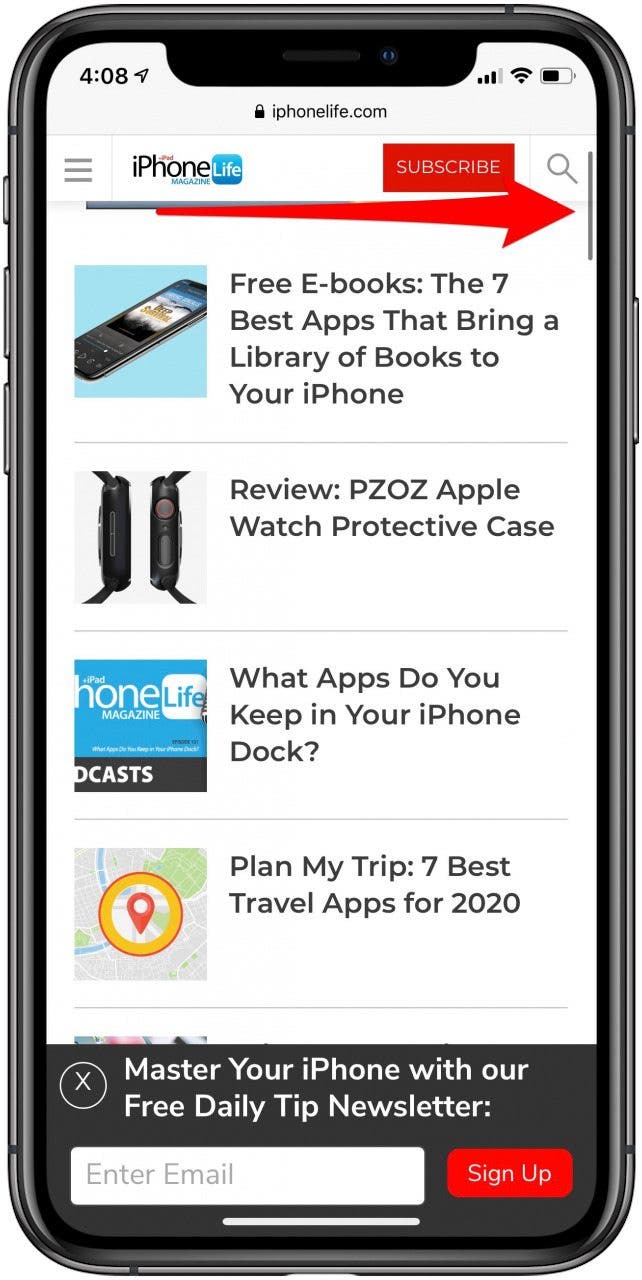
Scrolling the iPhone can be tedious, but it turns out that we’ve been scrolling the wrong way the whole time! This tip will help you quickly master the art of iPhone scrolling. If you’ve ever found yourself wondering if there was a better way to use the scroll bar, then this is the tip for you! Let’s get started with how to quickly scroll on your iPhone.
Related: How to Search a Page in Safari on Your iPhone
This tip makes it so much easier to scroll! It’s not just faster; it helps keep you from accidentally jumping too far in a list while scrolling. Like using the search bar in the Messages app to find an attachment, this productivity hack will improve your iPhone related workflow. Happy scrolling!
Top image credit: Luis Molinero / Shutterstock.com

 |
| Add caption |

Wondering how to share a password from iPhone to iPhone or to an iPad or Mac? If you want to let someone else watch your Netflix account, or log in to a website to view your shopping list, sharing the password safely and accurately can be a real pain. Especially if you are using longer, more secure passwords. But you don't have to type and text the password or read it out loud to the person you're sharing it with. The easiest way to share a password securely is by using AirDrop. This tip will show you how to share a password iPhone to iPhone or to other Apple devices, without any mistakes. Let’s get going with how to use AirDrop for password sharing on the iPhone.
Related: How to Share Your Wi-Fi Password with a Nearby iPhone or iPad with Just a Tap

Your contact will receive a prompt, followed by the password you’re sharing. That’s all there is to it! In addition to passwords, you can also share photos using AirDrop. AirDrop is a fast, accurate, and secure way to share items from your iPhone with your family and friends.
Top image credit: Sergey Granev / Shutterstock.com